Quotes & invoices

Quotes that win.Invoices that get paid.

Build a beautiful, itemised quote in minutes — with Quote Assistant writing in your style — then send one link your client can read, sign and pay on their phone.

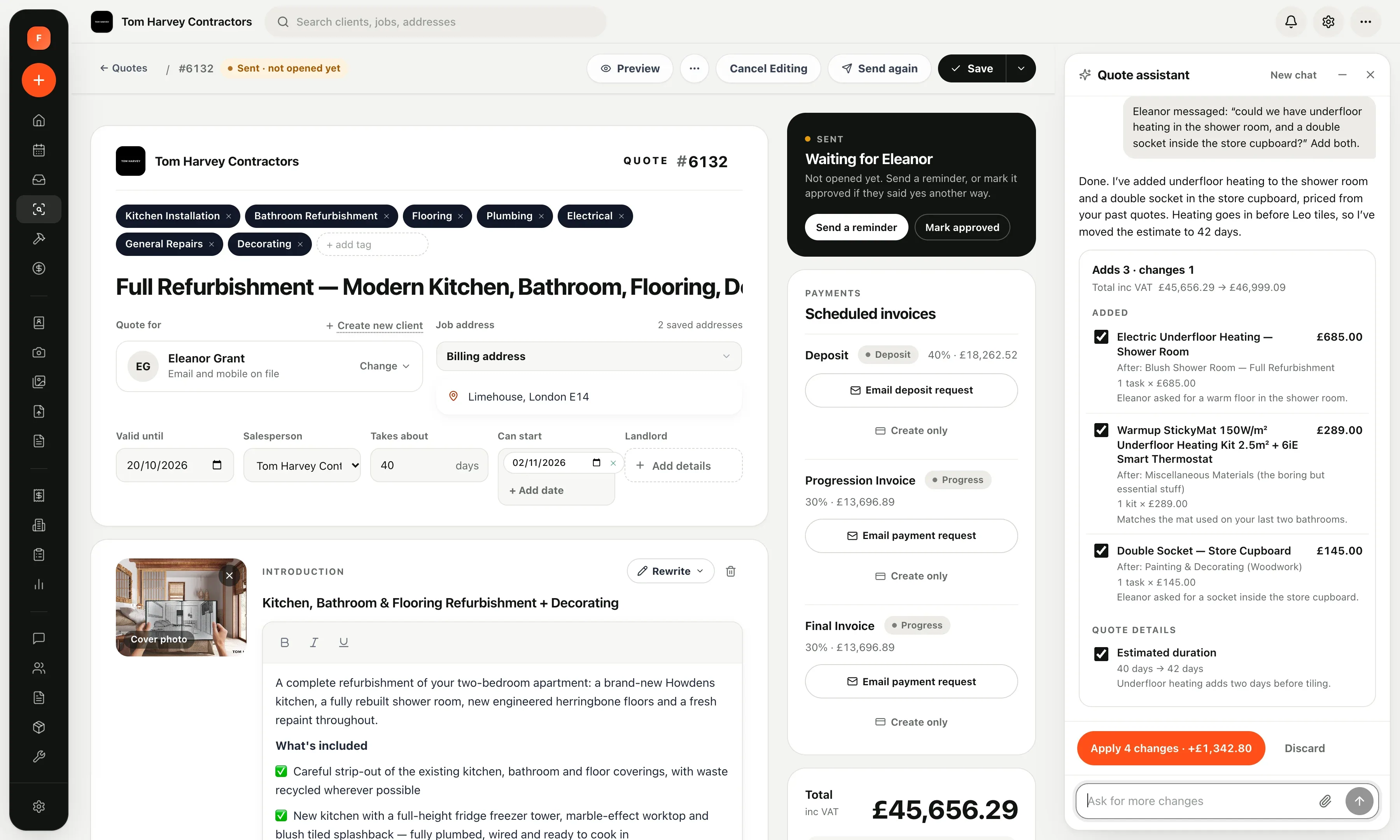
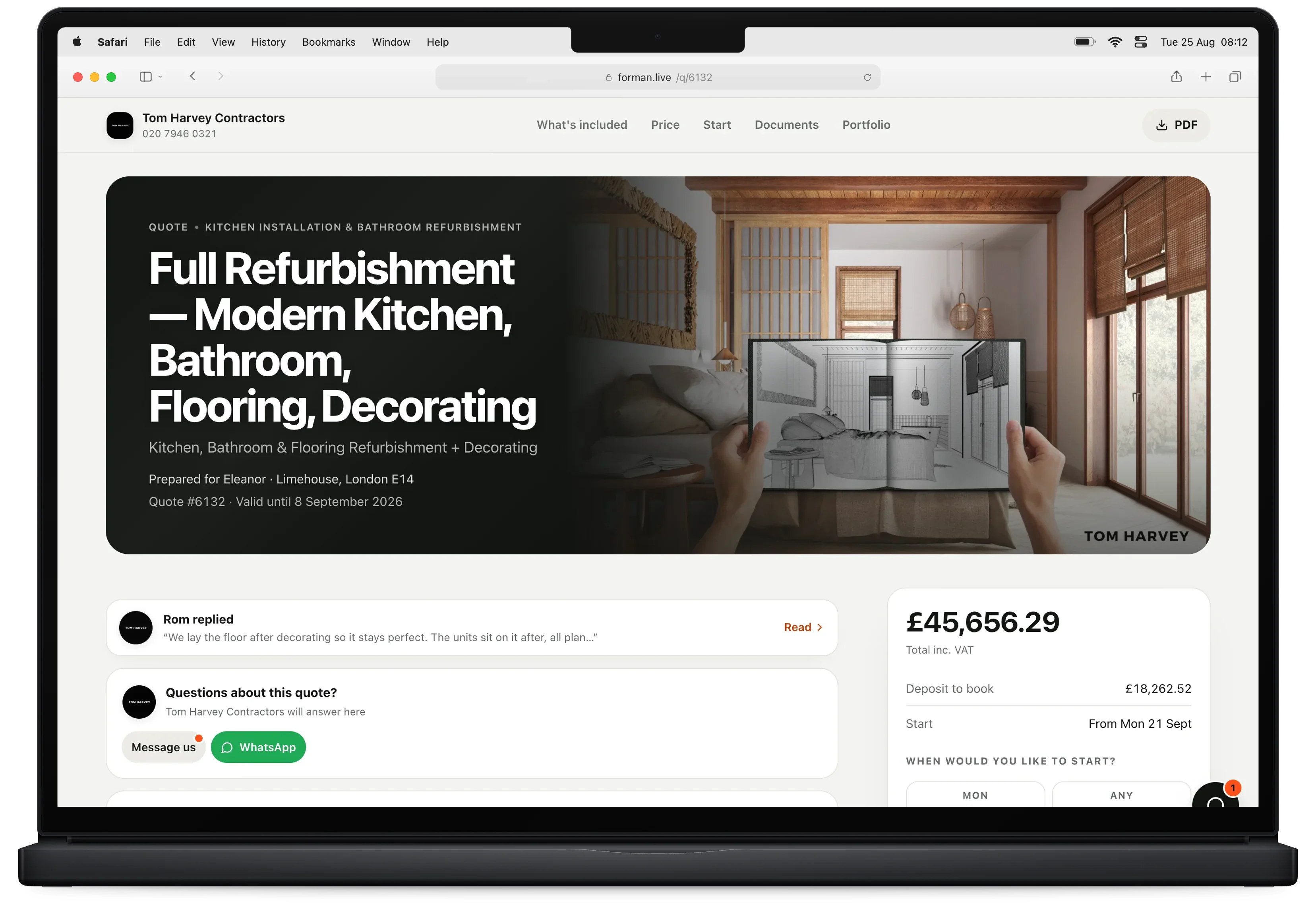
Client quote on a laptop: Tom Harvey Contractors, quote #6132, £45,656.29
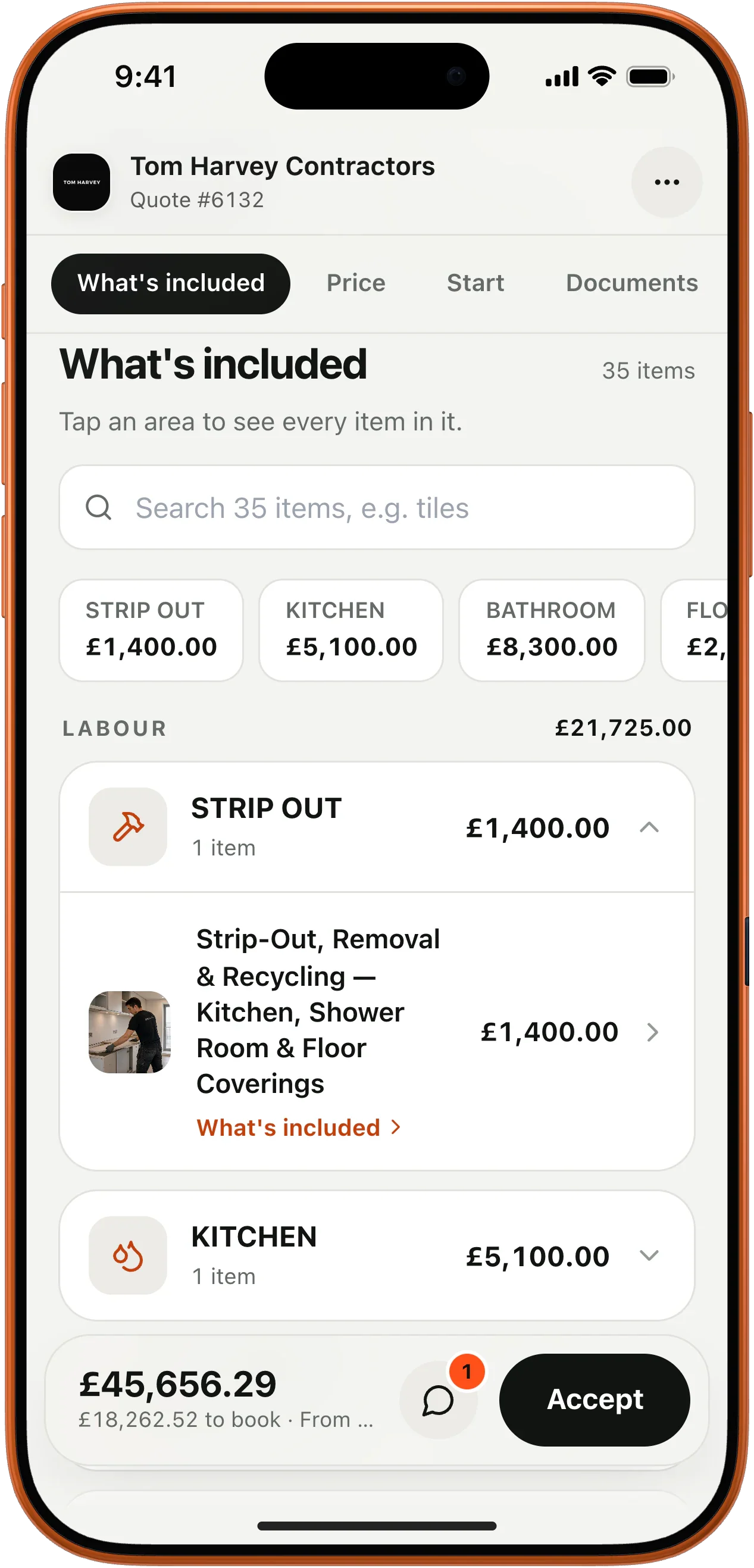
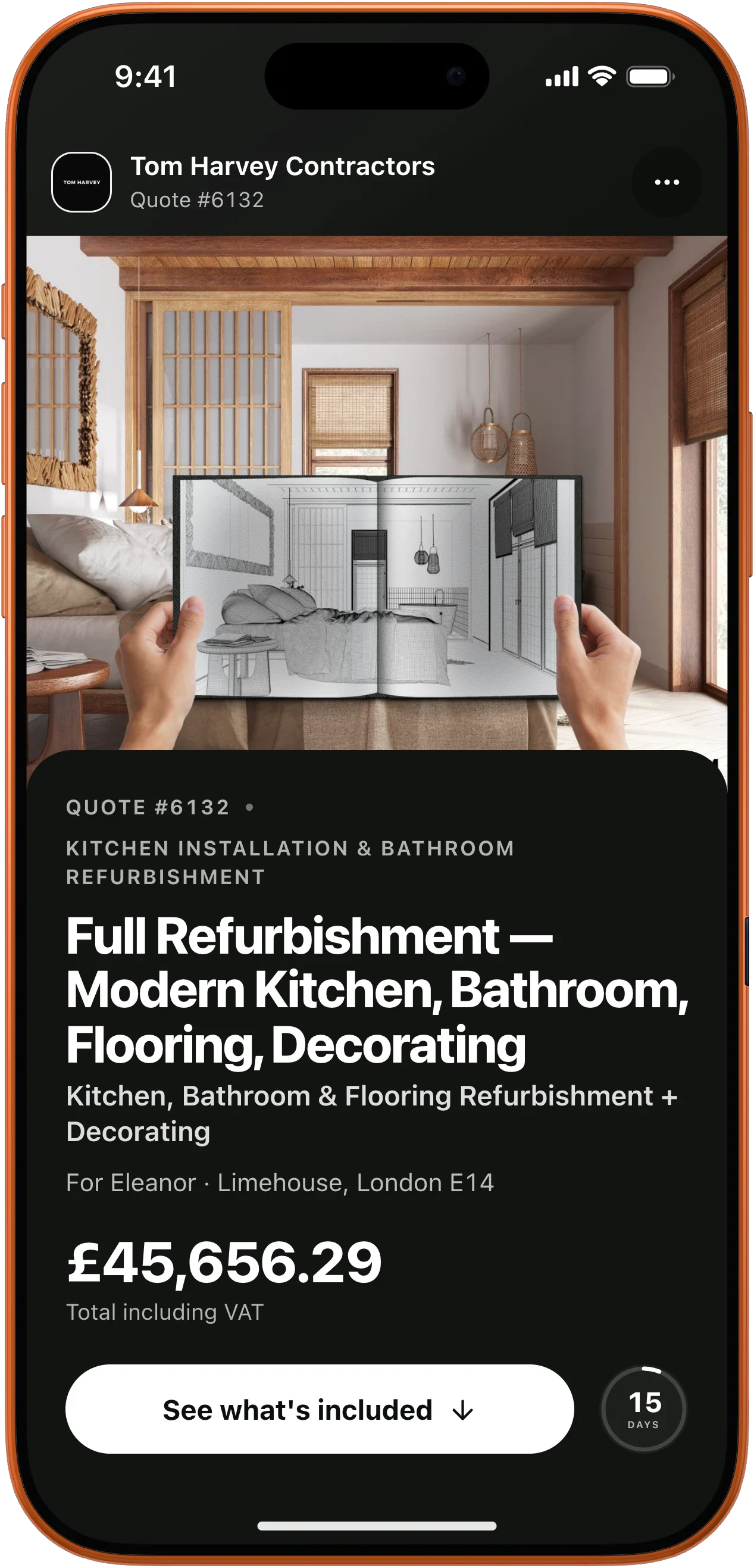
The same quote on a phone
01

Photos, details and products on every line

02

Deposits and stage payments set out before they sign

03

Signed and paid from one link — no app, no login

Quote Assistant

Ask for a change. Get priced lines back.

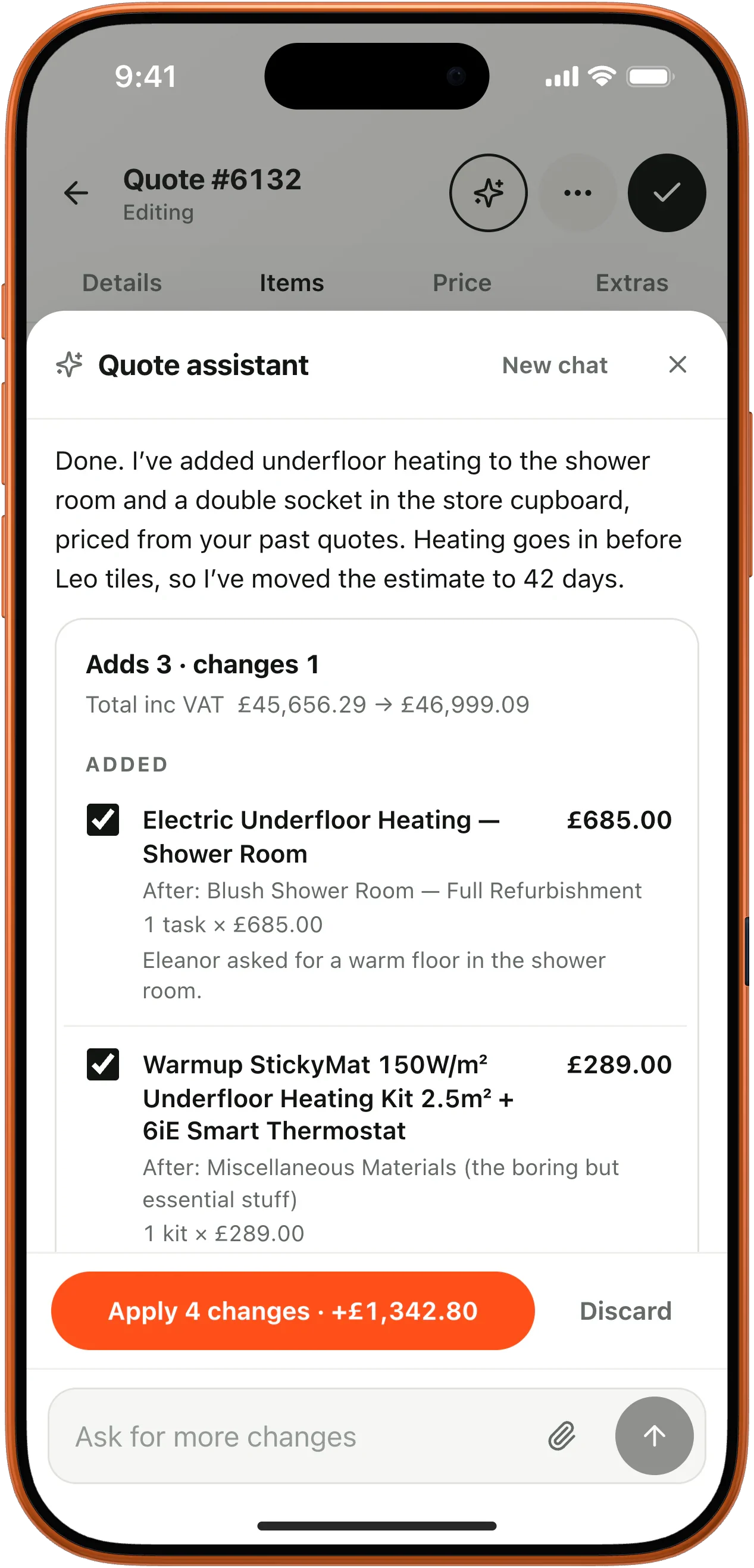
Paste a client's email or WhatsApp, a screenshot or a PDF. Quote Assistant reads it, adds and changes lines priced from your past quotes, and explains every one. Nothing changes until you tap Apply.

  • Writes in your wording, at your rates
  • Labels where every price came from
  • Undo in one tap
Quote Assistant proposing three new priced lines and a longer programme
Quote Assistant on a phone: Apply 4 changes, plus £1,342.80

What's included

Every line, explained.

Sections, labour and materials laid out the way you think about the job. Clients tap any line to see exactly what is included — so the conversation is about the work, not the price.

  • Line photos and rich detail
  • Optional extras clients can tick
  • Materials shown separately, together or per area
What's included: six areas, 35 items

Products

Products with photos, from a link.

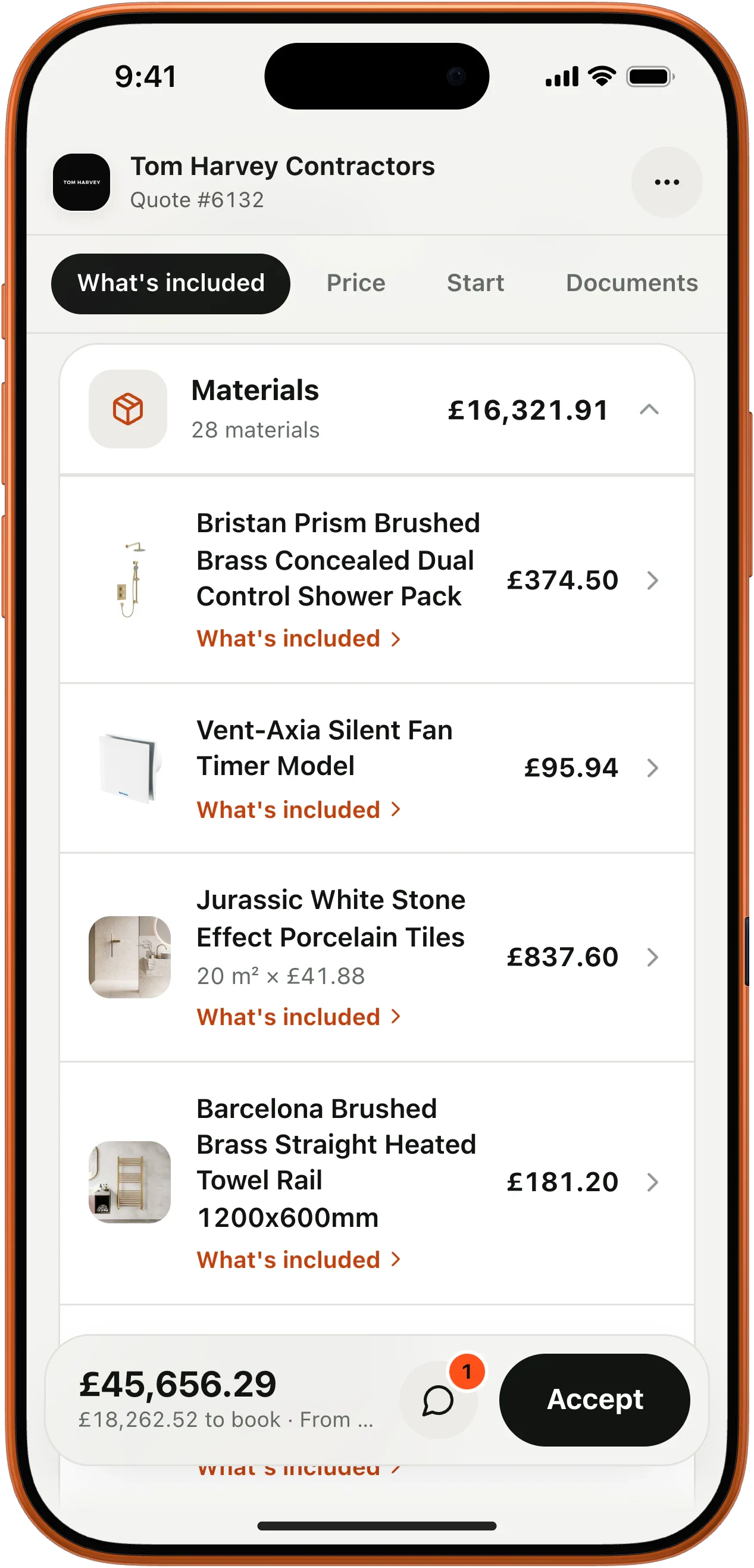
Paste a supplier's product link and the photo, name and trade price land on the line. Add your markup once; clients only ever see the finished price.

  • 28 products on this quote, each itemised
  • Supplier and specification kept on the line
  • Markup hidden from the client
Materials with product photos and prices

Payment plans

The money agreed up front.

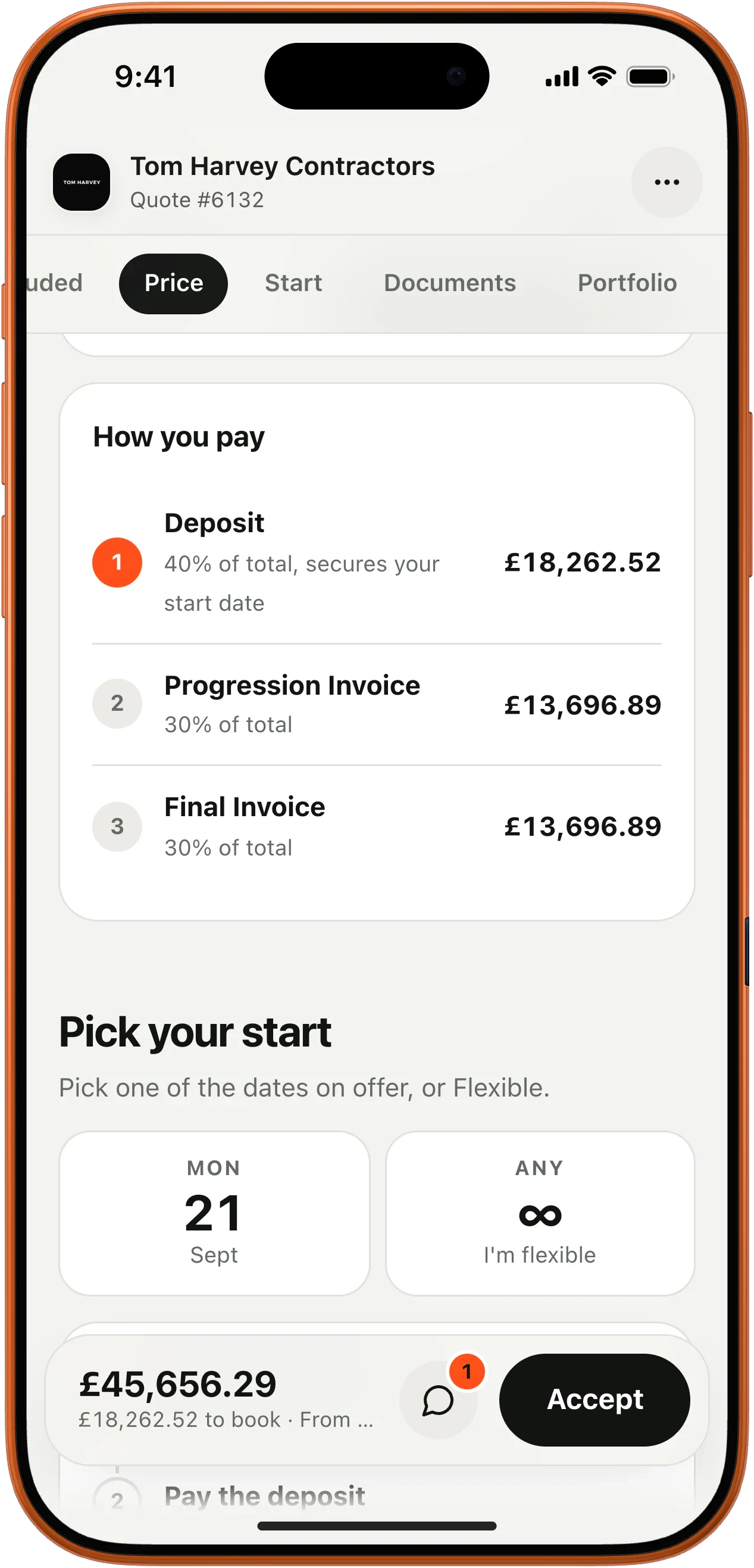
Choose a deposit or a full stage-payment plan. Clients see it on the quote, it becomes your invoices when the job starts, and each invoice carries a payment link.

  • Deposit secures the start date
  • Progress and final stages raised in a tap
  • Card, Apple Pay, Google Pay or bank transfer
How you pay: deposit and two stages

Invoices

Invoices clients can pay on the spot.

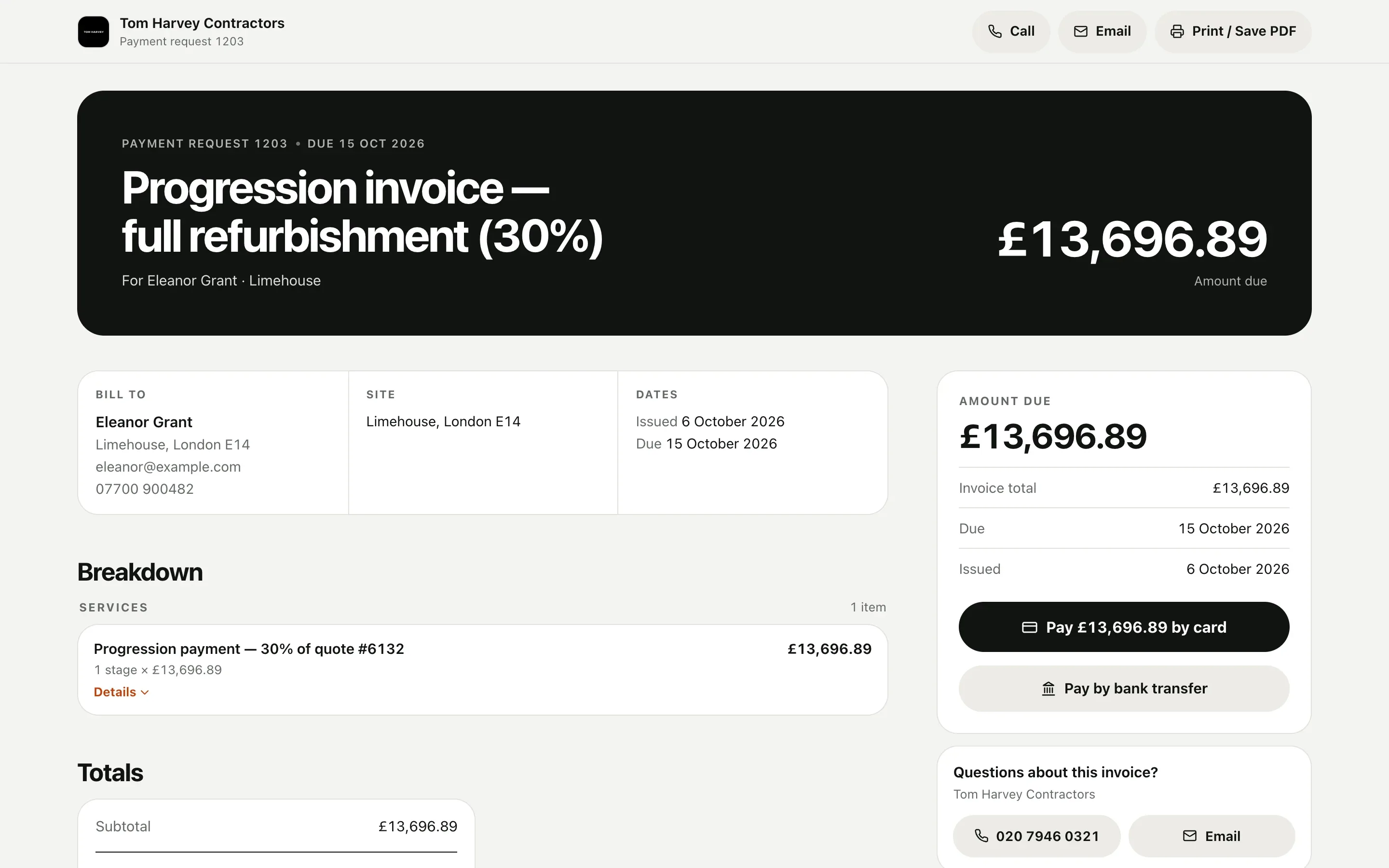
Raise the invoice straight from the job — VAT, CIS and payments already worked out — and send a page with a Pay button, not an attachment.

  • Card payments through your own Revolut or Stripe account
  • Bank details filled in for transfers
  • Overdue reminders sent for you
Progression invoice with Pay by card
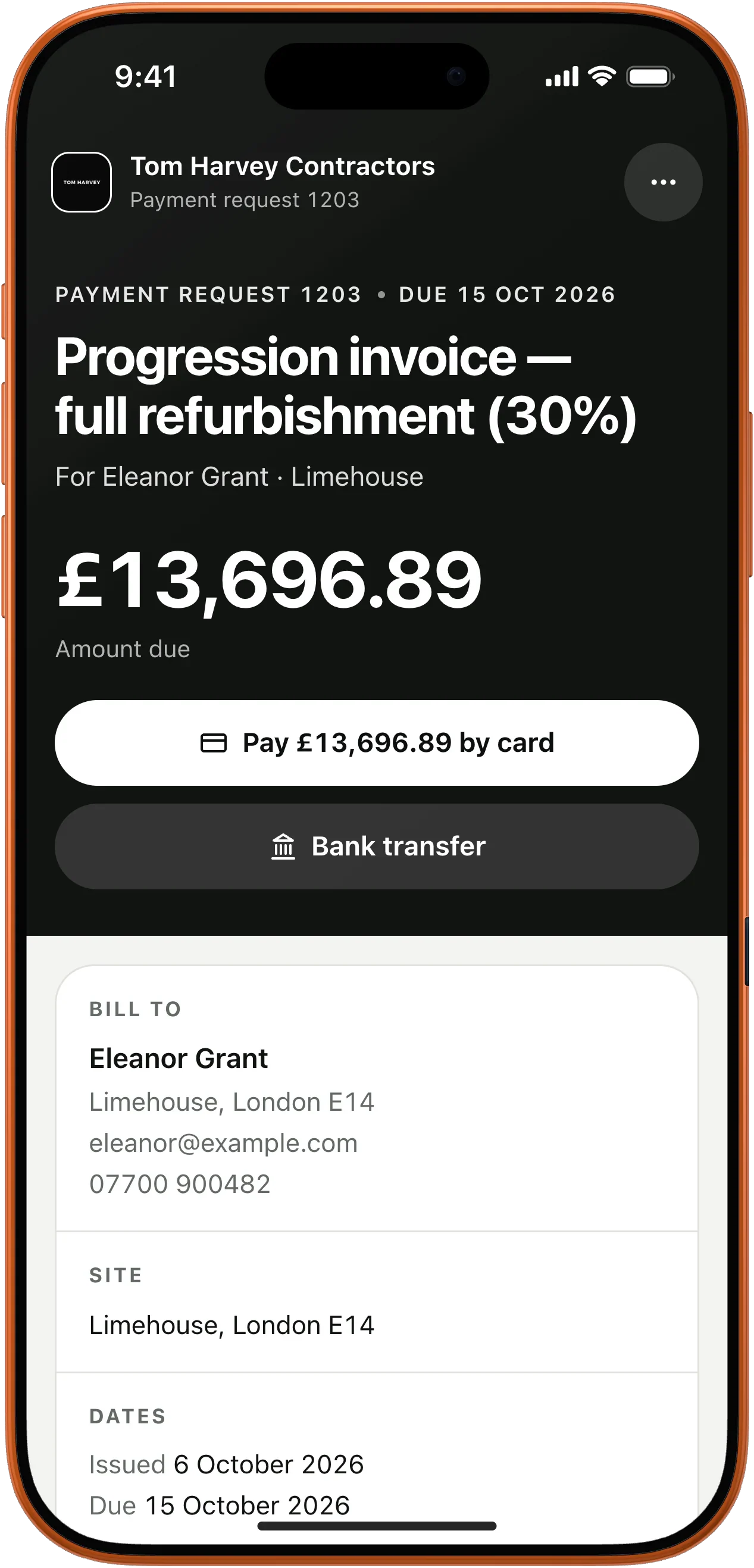
The same invoice on a phone with Pay by card

Follow-ups

Know the moment they open it.

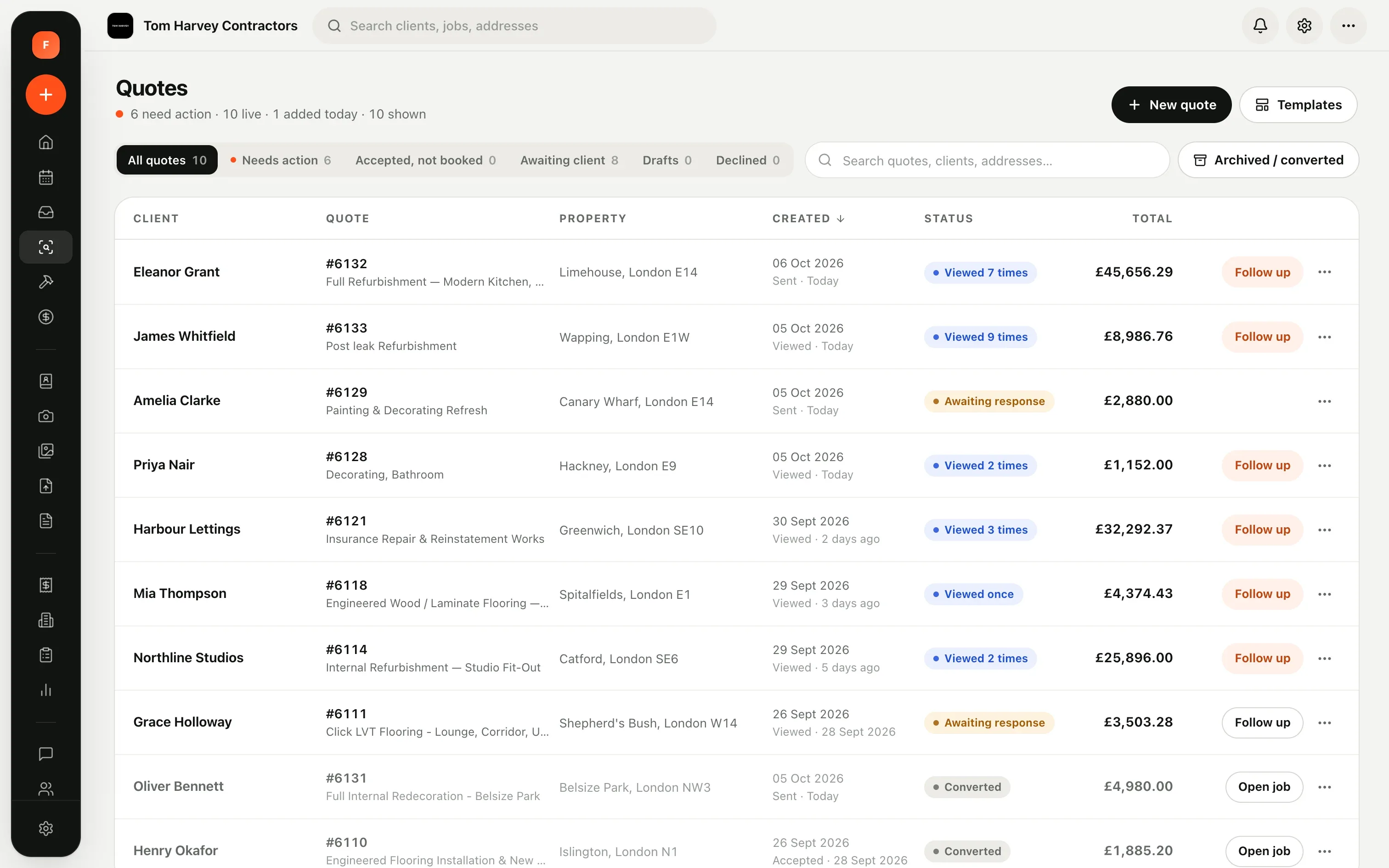
See when each quote is opened and how often. Viewed nine times today? That's your cue to call.

  • View counts on every quote
  • Follow-up reminders
  • Signed acceptance stored as a PDF
Quotes list with view counts and follow-up buttons

Real Forman screens from Tom Harvey Contractors. Client and property details changed.

Built by contractors.Ready for yours.

14 days free. No card required.